Pesums
Direct download — Play Store listing in review

Download
Pesums.

The universal APK, built and signed straight from our release pipeline. No store account needed to install it.

1.8
CURRENT
UNIVERSAL APK
Download for Android
~90.2 MB Android 7.0+

What Pesums asks permission for

Internet, network state & Wi-Fi state
Needed to load the websites you visit and to check your connection status.
Foreground service & data sync
Keeps a file download running and shows its required ongoing progress notification while the app is in the background.
Storage (read, write & download without notification)
Lets you save files you download and lets the browser open files you've already saved.
Install packages, shortcuts & license check
Lets you install files you download (like APKs), add or remove site shortcuts on your home screen, and lets Play verify your app license.
Camera, microphone & audio/video capture
Only triggered if a website you visit asks for camera or mic access (like a video call site) — the same way any browser handles it. Never accessed by Pesums on its own.
Approximate location
Only triggered if a website asks for location (like a maps site). Pesums itself does not collect or transmit your location.
Notifications, vibrate & wake lock
Used to show download and status notifications, give haptic feedback, and keep an active download from being interrupted by the system.
Ignore battery optimisation & run after restart
Lets you optionally exempt Pesums from battery restrictions so downloads finish reliably, and lets a paused download resume after your device restarts.

This list is the app's current, active permissions and doesn't include unused permissions kept in the manifest for future updates. None of them are used to collect, store, or transmit your browsing data. Full details are in our Privacy Policy & Terms of Service.

What's in 1.8

Status Full upgrade — confirmed ads-free YouTube, tighter Shield, stronger leak & fingerprint protection

Installing from outside the Play Store

  1. Download the APK above using your phone's browser.
  2. Open the downloaded file. Android will warn you it's from an unknown source — this is expected for any app installed outside the Play Store.
  3. Tap Settings in that warning, then allow installs from your browser.
  4. Go back and tap Install.

Pesums isn't on the Play Store yet because Google's testing requirements take time to clear. This APK is built from the same source published in our repository.

Verify your download

SHA-256
5ba6979a88bc9aedb4ea6ed9482ae78d0d714e8b2e24c883d9b93631b03e1db7

After downloading, run shasum -a 256 pesums-1.8.apk and compare the result — it confirms the file reached you exactly as we built it.

Coming later

Google Play Store listing in review

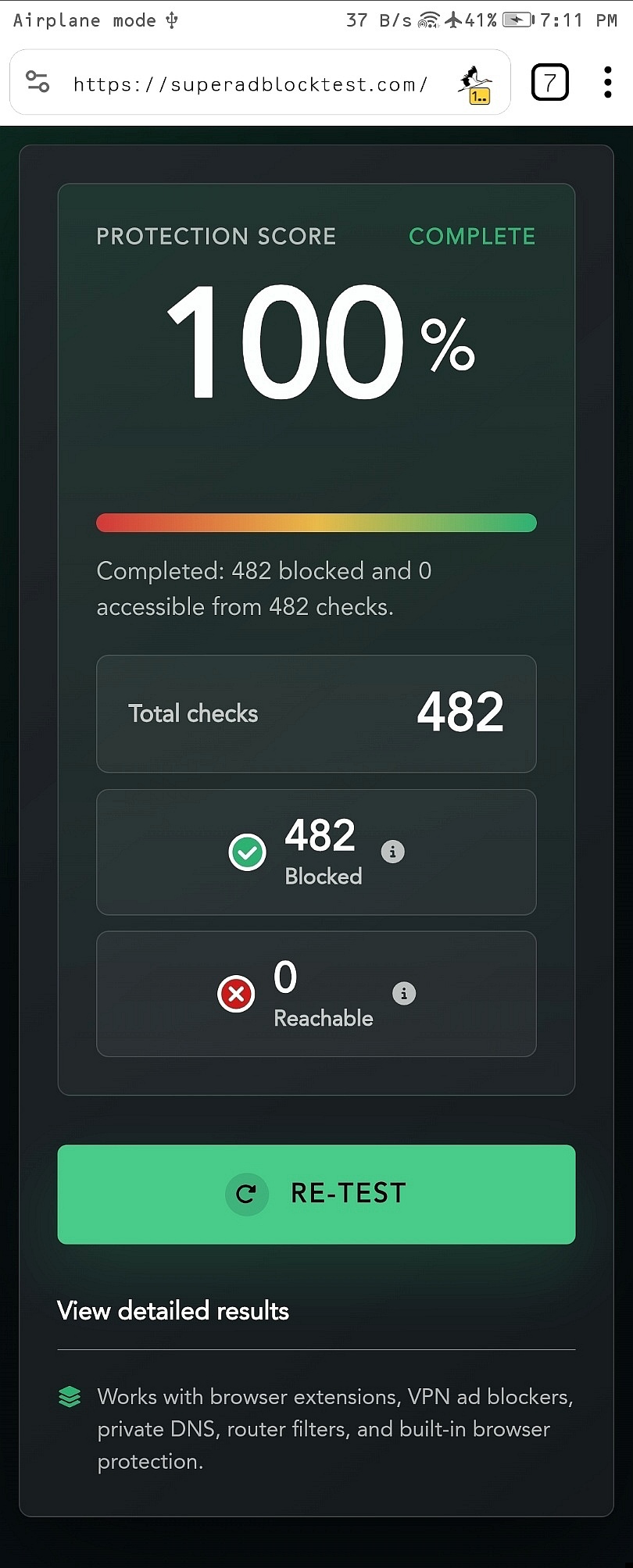
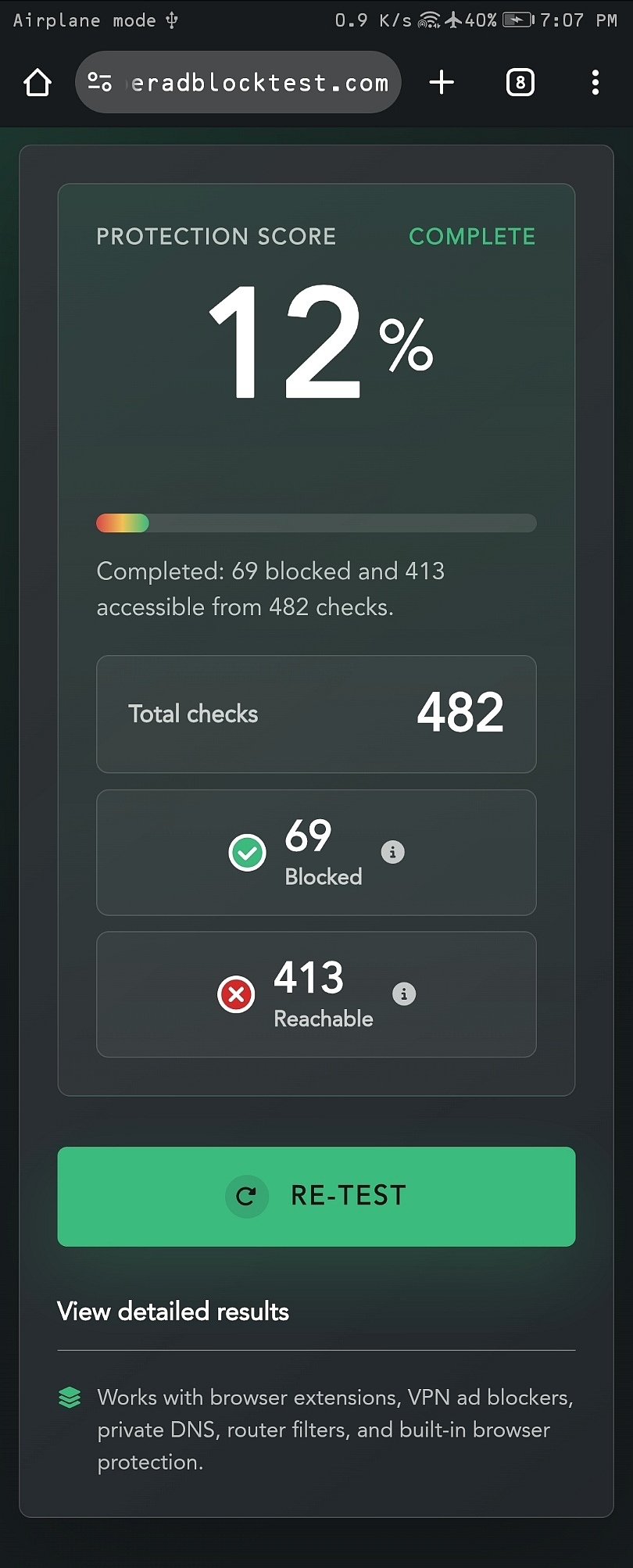
Same page, fewer ads

The same site, loaded in Pesums and in Chrome. Drag to compare.
Chrome
Pesums
Pesums

Screenshots of the same page, same scroll position — only the browser changes.